
A headless CMS is neither an SEO advantage nor an SEO risk in itself. Rankings depend on what your front end returns when a search crawler requests a URL: complete HTML with the content, metadata, structured data and internal links already present, delivered quickly. Get that right and a headless build can match or beat a traditional platform. Get it wrong and the site can lose visibility for weeks. At Viaduct Generation, we treat headless SEO as an engineering and content-architecture problem that has to be solved before launch, not after traffic falls.
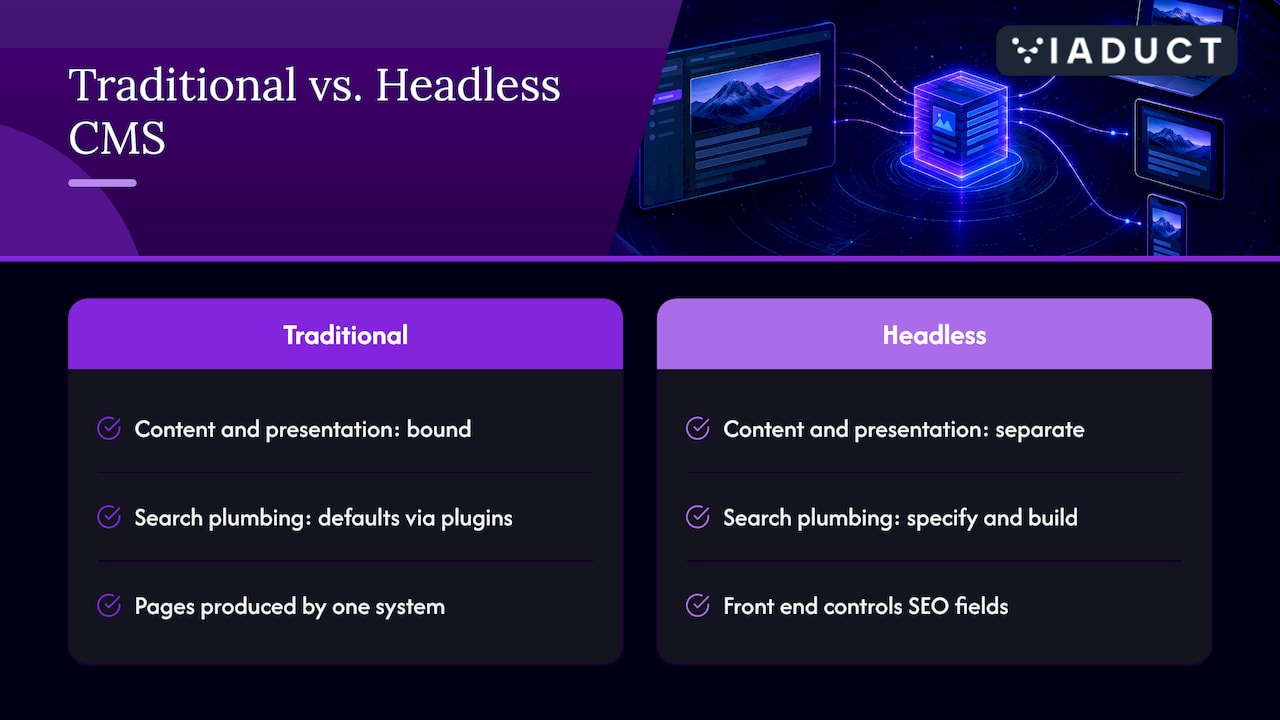
A headless CMS separates the content repository from the presentation layer and delivers structured content through APIs such as REST or GraphQL to any channel or device. A traditional CMS binds content and presentation together, so the page that visitors and crawlers see is produced by the same system that stores the text.
This matters for SEO because a traditional platform supplies a good deal of search plumbing by default: title fields, canonical tags, XML sitemaps, redirect managers and schema through plugins. In a headless architecture, none of that arrives automatically. The CMS stores fields; your front end decides whether those fields become a title tag, a canonical URL or a JSON-LD block. Every SEO feature is a decision somebody must specify, build and maintain.
The upside is real. You control the markup, the URL structure, the page weight and the layout, and you can optimise each independently. The cost is that content, code and design are optimised separately, so the SEO brief has to span all three from the start.
Google describes JavaScript processing in three phases: crawling, rendering and indexing. Pages are queued for rendering, a headless browser executes the JavaScript, and that can take seconds or longer. Google also notes that server-side or pre-rendering can make a site faster for users and crawlers, and that not every bot runs JavaScript.
That last point is increasingly important. Search is no longer only Google’s index. AI answer engines and other crawlers may read the raw HTML only, so a page that depends on client-side JavaScript to display its content may be invisible to them. Our guide on making your website visible in search and AI covers why that visibility now matters beyond the classic ten blue links.
A practical rendering policy looks like this:
| Page type | Recommended approach | Reason |
|---|---|---|
| Blog posts, guides, landing pages | Static generation | Fast, complete HTML on first response |
| Category and product pages that change often | Incremental regeneration or server-side rendering | Fresh content without slow builds |
| Personalised or account areas | Server-side or client-side rendering | Not intended for the index |
| Anything you want to rank | Never client-side only | Crawlers may receive an empty shell |
A common temptation is to bolt on dynamic rendering, serving a pre-rendered copy to bots. Google’s guidance describes it as a workaround rather than a long-term solution, and recommends server-side rendering, static rendering or hydration instead. Build the proper rendering path once.
A simple test: request a key URL with JavaScript disabled, or view the raw response source. If the headline, body copy, title tag and internal links are not there, the page has a rendering problem, whatever the CMS is called.
Because the CMS does not output a page, define each of these as a content-model field and a front-end rule before development begins.
Give every content type dedicated fields for the title tag, meta description, canonical URL and robots directives, with sensible fallbacks generated from the headline and summary. Make the canonical self-referencing by default, and make sure the front end outputs it in the initial HTML. Headless sites often serve the same content on staging domains, preview URLs and parameterised routes, so block indexing of those environments and canonicalise the rest.
Generate the XML sitemap from the CMS at build time or on request, including only indexable, canonical, 200-status URLs. Update the last-modified date only when the content genuinely changes. Confirm that the robots.txt file on production does not carry over a blanket disallow from staging, a surprisingly common launch error.
Model the entities behind your schema rather than pasting JSON into a free-text box. An article needs an author, a published date and an organisation; a product needs price, availability and reviews drawn from real fields. Output the markup as JSON-LD in the server-rendered HTML. This is also the foundation for appearing in AI-generated answers, where clearly structured entities are easier to interpret. Our piece on programmatic SEO with JSON schema and your own data shows how structured fields can scale across many pages.
A headless CMS makes it easy to publish orphaned pages, because nothing in the platform shows how a page connects to its neighbours. Add reference fields for related content, build breadcrumbs from the content hierarchy, and design navigation in the template rather than leaving it to editors’ memory. A hub-and-spoke content architecture translates neatly into a headless content model, because the relationships between hub and spoke pages can be stored as data. It is also worth reading why content architecture comes before production, since a headless model is only as good as the structure designed for it.
Most headless projects are migrations, and migrations are where organic traffic is lost. Every legacy URL that has earned links or traffic needs a mapped destination with a permanent 301 redirect, implemented at server or CDN level rather than in client-side code. A new URL structure that looks tidier in the design document can quietly discard years of accumulated authority if the old addresses are not handled.
A sound migration sequence runs as follows:
A website platform migration plan lays out the same principle at small-business scale: protect search visibility before you rebuild, not after. Once the site is live, our technical SEO checklist for new website launches is a useful audit, and a workflow for fixing broken links will catch what the redirect map missed.
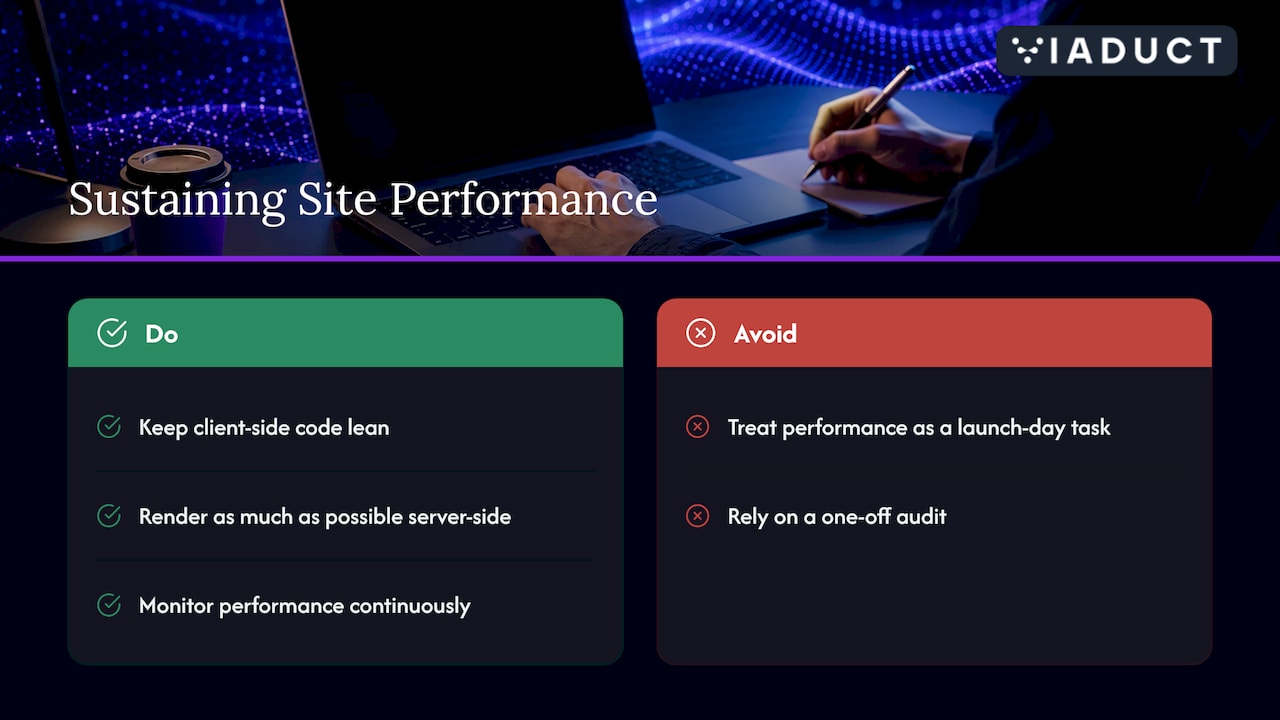
Decoupling allows a front end to be compiled and optimised for speed, with static delivery from a CDN and full control over scripts, images and layout. That is the main reason well-built headless sites can outperform theme-driven installs. The risk runs the other way too: a heavy JavaScript bundle can undermine responsiveness, so keep client-side code lean and render as much as possible on the server.
Performance is not a launch-day achievement. Third-party scripts, new components and image changes erode it gradually, and the damage often shows up in rankings before anyone notices. We explain the mechanism in Core Web Vitals drift, and it is the reason we favour continuous monitoring over a one-off audit. The wider relationship between speed and experience is covered in how technical SEO powers a better user experience.
Editors lose the what-you-see-is-what-you-get view by default. Preview has to be built deliberately, and in-context editing has to be built or bought. If editors cannot see how a headline, meta description or schema field will render, SEO quality drops quietly as the content team grows.
Budget for three things before launch: a working preview that mirrors production rendering, validation rules in the CMS (character guidance on titles, mandatory canonical and alt-text fields), and a short editorial guide that connects each field to its search purpose. These are small costs next to the traffic they protect.
Headless earns its complexity when you publish to several channels, run a large or fast-changing catalogue, need bespoke performance, or have developers who can maintain the front end. For B2B companies with multiple regions or products, and e-commerce brands combining a storefront with rich editorial content, it can provide the flexibility that a single theme cannot.
Charities should weigh the maintenance load carefully. A decoupled build needs developer capacity for the life of the site, and accessibility remains a legal and ethical obligation under the Equality Act 2010 whichever platform you choose. Decide on the strength of your content model, your team and your growth plans, not on the fashion for a stack.
We plan the search requirements, covering content model, rendering strategy, redirect map and schema, before a line of front-end code is written. Our Technical SEO and Web Development & Design services cover CMS design and development alongside the search work, and engagements run as fixed-scope 90-day sprints with defined deliverables. If you are weighing a replatform, the Search Growth Blueprint is the place to start.
It can be, but only through implementation. The CMS itself neither helps nor hurts. Server-rendered or statically generated HTML, complete metadata, structured data, clean internal links and fast pages produce strong results. A client-side-only build can cause indexing problems.
Neither wins by default. A traditional platform supplies many SEO features out of the box, while a headless build gives you finer control over markup and speed. The better choice depends on whether you have the development resource to implement and maintain the search setup.
Yes, Google renders JavaScript, but rendering is a separate queued phase and can take longer than crawling the raw HTML. Not all other bots execute JavaScript, so server-side or static rendering is the safer route for pages you want found.
Lost redirects. If old URLs are not mapped one-to-one to new ones with 301 redirects, the authority they earned is wasted. Build and test the redirect map before launch, and monitor crawl errors afterwards.

