
Server-side tagging moves your measurement tags out of the visitor’s browser and into a server container that you control, so the browser sends one stream of data and your server decides what is forwarded to analytics and advertising platforms. In Google Tag Manager this is called server-side GTM (sGTM), and it is worth the effort for businesses with meaningful paid spend, e-commerce revenue or consent-sensitive audiences, but it does not fix every measurement gap and it does not replace consent.
This guide sets out how it works, what it genuinely improves, what it costs to run, what UK rules apply and how to decide whether it belongs in your next 90 days.
Google describes server-side tagging as moving measurement tag instrumentation from your website or app to a server-side container, hosted on Google Cloud Platform or another platform you choose. Searches for server side tracking, server side GTM and server side Google Tag Manager all point to the same idea, with sGTM being the most widely used implementation.
The practical shift is this. In a conventional setup, a web container in the browser fires every vendor’s tag, and each vendor’s script runs on your page and talks to its own collection servers. With a server container, the container receives requests from the user’s device and transforms them into events that its own tags, triggers and variables then process. The browser does less, and your server does the distribution.
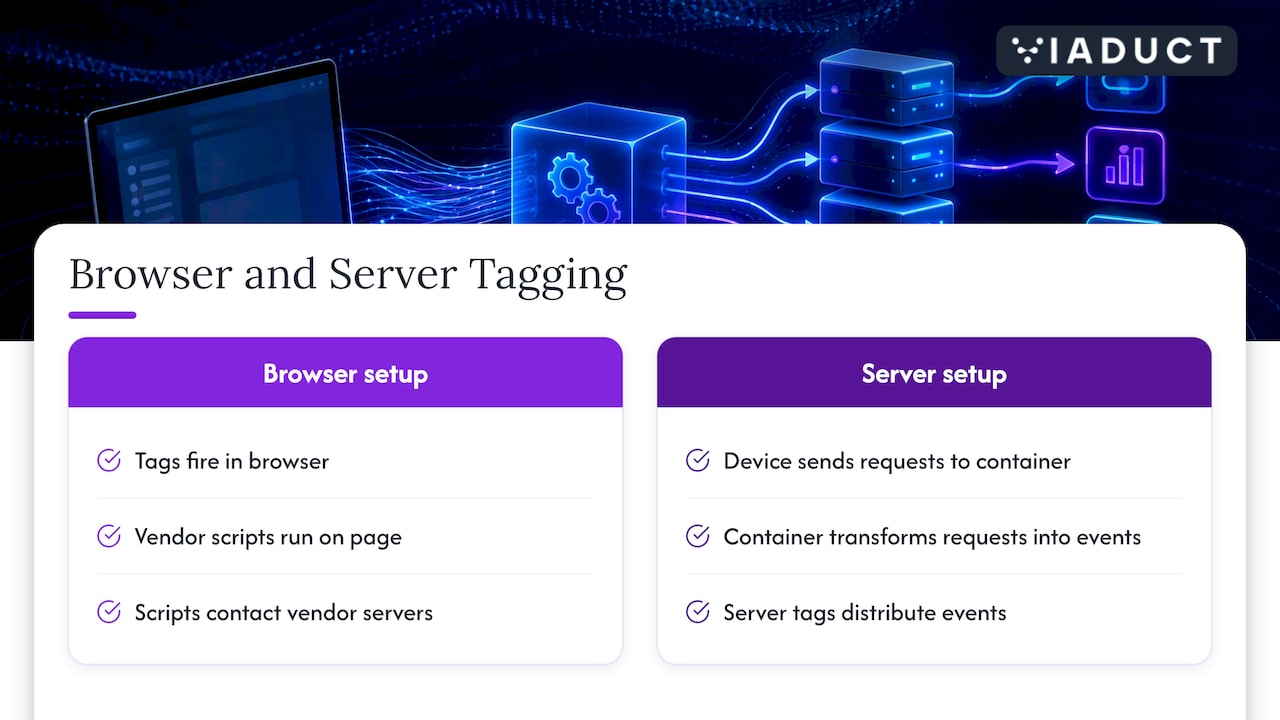
Server-side tagging complements client-side tagging rather than replacing it. You still need a lightweight web container or SDK to capture what happens on the page. What changes is where the heavy work occurs: Google explains that the cloud-hosted container lets you validate, screen and normalise data before forwarding it to third-party platforms.
| Client-side tagging | Server-side tagging | |
|---|---|---|
| Where vendor tags run | In the visitor’s browser | On your server container |
| Control over outgoing data | Limited, each vendor script collects what it likes | High, you choose fields before forwarding |
| Page weight | One script per vendor | Fewer scripts on the page |
| Hosting cost | None beyond the tag manager | Cloud hosting, billed on usage |
| Setup effort | Low | Moderate to high, needs technical ownership |
Google lists two headline benefits: better website performance through fewer client-side tags, and better security because visitor data is collected and distributed from an environment you manage. We would add three that matter commercially.
Page speed deserves a mention for search teams too. Fewer scripts reduce main-thread work, which supports the metrics we track in our piece on Core Web Vitals drift. Do not expect miracles, though: a tidy web container with a handful of tags often delivers most of the gain.
The loudest claim in vendor marketing is that server-side tracking “recovers” lost data. Treat that carefully. Server-side tagging does not create consent that a visitor has refused, does not turn modelled data into observed data and does not capture users who never load your page. It can make a GA4 implementation more controllable and reduce some browser-side losses, but it is a governance and quality upgrade, not a magic recovery tool.
There are practical limits as well:
There is no licence fee for the container itself. The cost is hosting. Google states that once you upgrade the default Cloud Run environment you can expect to spend $30 to $50 per server per month, with large volumes of network traffic increasing the figure. That is a Google-quoted dollar estimate, so your sterling bill will move with exchange rates and traffic.
Two details change the budget. First, Google recommends a minimum of two Cloud Run instances to reduce the risk of data loss during an outage, so plan for at least two servers in production rather than one. Second, the testing server used for Preview is separate from the production tagging server.
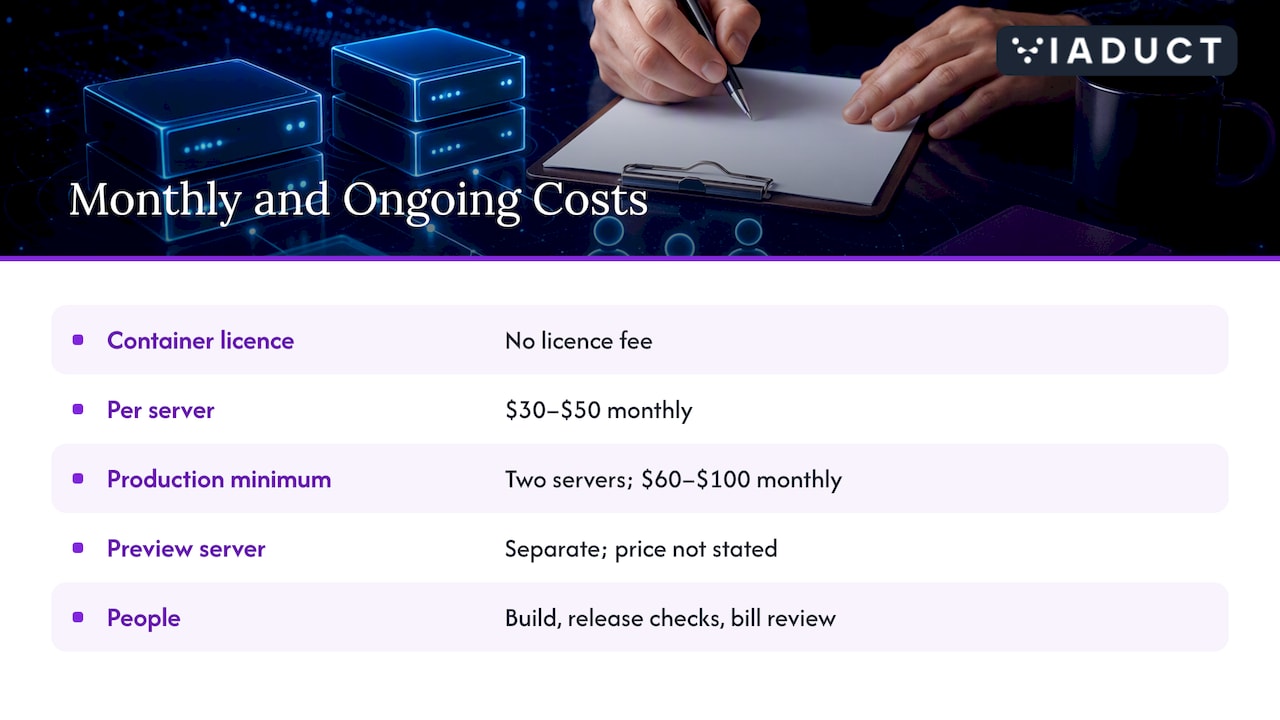
The larger cost is usually people. Budget for the initial build, for periodic checks of tag behaviour after site releases, and for someone to review the monthly hosting bill. For a business spending modestly on paid media, that ongoing overhead can exceed any benefit. For a retailer with six-figure monthly ad spend, it is rounding error.
Google’s Cloud Run guide describes the sequence: provision preview and tagging servers, map the deployment to a custom domain, add the server URL to GTM and validate it with Preview and the /healthy endpoint. In practice we work through it in this order:
If a new site is launching, fold this into the build rather than retrofitting it. Our technical SEO checklist for new website launches covers the surrounding items.
Moving a tag to a server does not move you outside the law. Under the Privacy and Electronic Communications Regulations (PECR), storing or accessing information on a user’s device generally needs consent unless an exception applies. The ICO explains that there are five exceptions, including strictly necessary use and a statistical purposes exception, and that if your use goes beyond them you must obtain consent. Advertising pixels almost never fit an exception.
For your implementation, that means:
For charities and regulated B2B clients, take advice from your data protection officer or a qualified privacy adviser before going live, because the lawful basis for each tag depends on how you use the data.
Assess these in order before committing budget:
If the answers favour it, connect the build to the wider measurement model. Cleaner events only create value when they feed attribution that reaches revenue, which is the subject of our guides to multi-touch attribution for SEO and fixing B2B attribution models.
We treat server-side tagging as one component of a measurement system rather than a standalone project. Inside our 90-day sprints, the tracking audit, event design and server-side build sit alongside revenue attribution, so that every event you collect ties back to pipeline or orders. If you would like a view on whether sGTM suits your stack, our Search Growth Blueprint is the place to start, and our wider services include technical SEO, paid media and conversion optimisation that depend on the same data foundation.
They describe the same approach in everyday use. Server-side tagging is the term used by Google Tag Manager, while server-side tracking is the broader phrase marketers use for sending analytics and advertising events from a server rather than the browser. sGTM is Google’s implementation.
Yes. Under PECR, consent is required for non-essential storage or access on a user’s device, and the ICO sets out only limited exceptions. Your server container should receive and respect the consent state for every event.
The container is free, and hosting is the expense. Google’s estimate for an upgraded Cloud Run setup is $30 to $50 per server per month, rising with traffic, and it recommends at least two instances for production.
It can. Fewer vendor scripts in the browser reduce the work the page has to do, which Google lists as a key benefit. The gain depends on how heavy your current tag set is.

